
Know your child is on the right bus, every trip
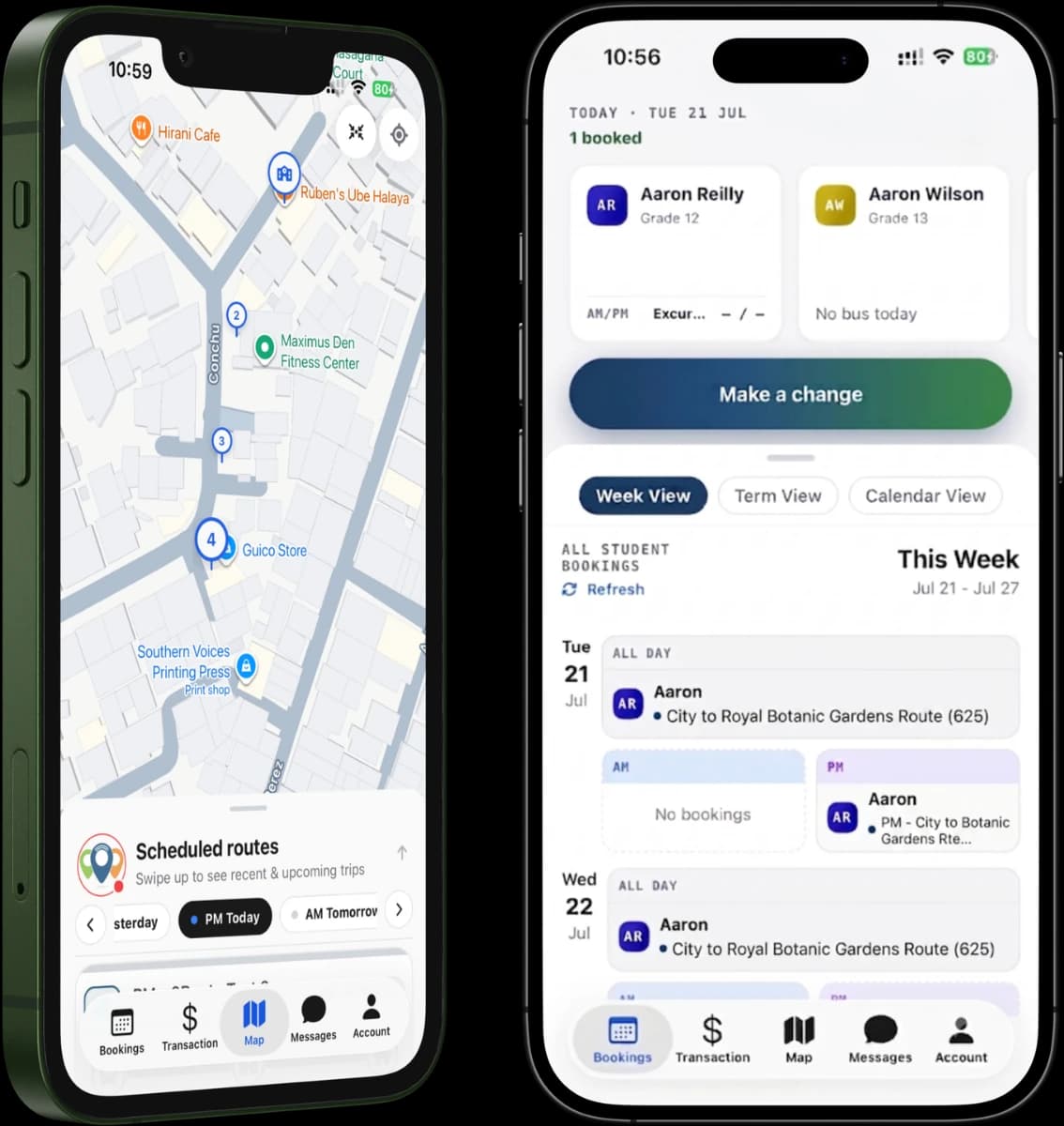
The RollCall parent app puts your child's whole bus journey in your hand. Follow the bus on a live map, get an alert the moment they tap on or off, and book, change, pay and report an absence from the one place.


One app for the whole journey
The RollCall parent app is a free app for families whose school or bus operator uses RollCall. You follow your child's bus in real time, get notified when they board and when they get off, and handle the everyday things in seconds: book a seat for the term, change a bus for one day, report an absence, and pay fares.
One event, four points of view
Your child taps their card on the bus, and four things happen at once.
They tap their RollCall card on the driver's device as they board.
The live count updates: who is on board, who has scanned, who is still expected.
You're told the moment they're on, they appear on your live map, and you can follow the rest of the trip from your lock screen, without keeping the app open.
The dashboard updates at the same moment, so what you see and what staff see line up.
One tap. Everyone who needs to know, knows.
The way parents actually use it
Follow the bus on a live map
Open the app and watch the bus move in real time. It glides between updates rather than jumping around, because RollCall smooths the movement and ignores stray GPS readings. Your child's stops are numbered along the route, and each one fills in as the bus passes it, so you can see at a glance how close it is.
See where your child is up to, every step of the run
Tracking is more than a dot on a map. RollCall follows the whole journey, so you can see at a glance which part of the run your child is up to. In the afternoon, the same steps run in reverse, from school all the way home.
- 1On the way to your stopThe bus has left the depot and is heading your way.
- 2At your stopThe bus has reached your child's stop.
- 3On boardYour child has tapped on and is on the bus.
- 4On the way to schoolEveryone is picked up and the bus is heading in.
- 5At schoolYour child has been dropped at the campus.
After school it runs the other way: school, your stop, home.
If the signal goes quiet for a bit (a tunnel or a patchy rural stretch), the bus doesn't vanish. It holds its last known spot and picks back up when coverage returns.
Watch it approach your stop, and know only the right people can
See the bus get close on the map and head out at the right time. No more guessing from the kitchen window.
The live location goes to you, the carers you've approved, and the school. Nobody else. Access is controlled on our servers, so a carer only ever sees the children they're meant to.
Stay told, and nothing slips by
Board and alight alerts are just the start. RollCall also flags the unexpected, like a tap-off at a stop that isn't your child's, and you can follow the live journey from your lock screen with Live Activity.
Board & alight alerts
Choose to be told when your child taps on and when they tap off. You pick the channel that suits you (push or email) for each child.
Inbox2
For the everyday stuff, too
Book the seat
See the stop closest to home and the scheduled pick-up and drop-off times, then reserve your child's place for the year or term, set it to repeat, and see it all on a booking calendar.
Change the day
Need a different bus or stop just for Thursday? Make a one-off change without touching the term booking.
Report an absence
Going to be away? Tell the school in seconds, choose the reason, and only the right journeys are affected.
Pay fares
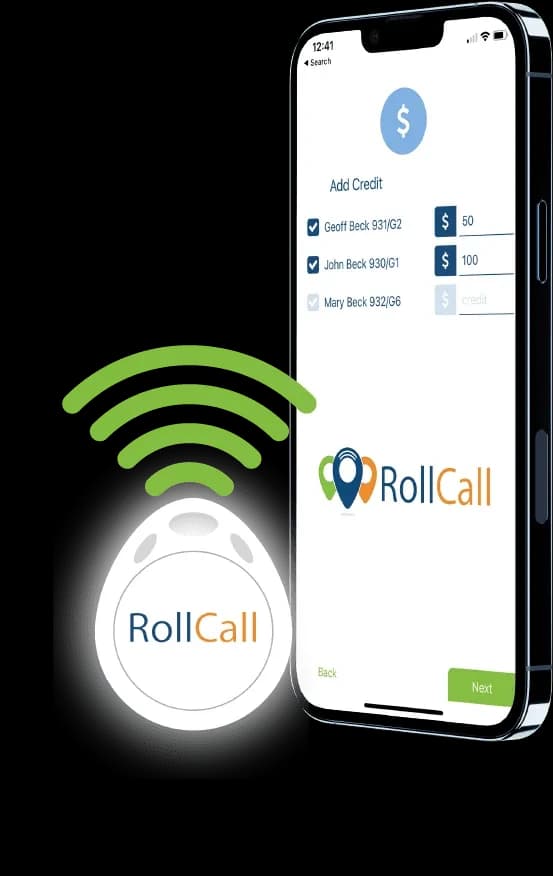
Top up, see each child's balance, view your history and print a receipt, securely.
Share it with the people who help
Family life rarely fits one schedule. Invite the people who share the load (a grandparent, a partner, a nanny) and give them their own access to the children they look after.
You stay in control, and can switch a carer's access on or off whenever you need.
Your half of the same safety loop
The parent app is your half of the same safety loop the school relies on. When your child taps on, the school's record and your screen update together, so the people responsible for them on the bus are working from the same live picture you are.
That is duty of care in practice.
Questions parents ask
Bring RollCall to your school
Get a tailored quote or book a demo to see the parent app in action.
No obligation. Setup support included.