Three checks on every service. Fifteen minutes. Here is what the answers are telling you.
Whenever we visit a school, or run a demonstration, the same question comes up.
Usually near the end, once the excitement about live tracking has settled and someone practical is thinking about Monday morning.
"What do we actually need to do daily? How do we look after our system? What are the tasks we should be doing?"
It is a good question, and it deserves a better answer than "not much, it looks after itself".
Because RollCall is not a set-and-forget system. It is a live record of what happens on your buses every day, and like anything live, it needs someone to look at it.
Three checks, on every service
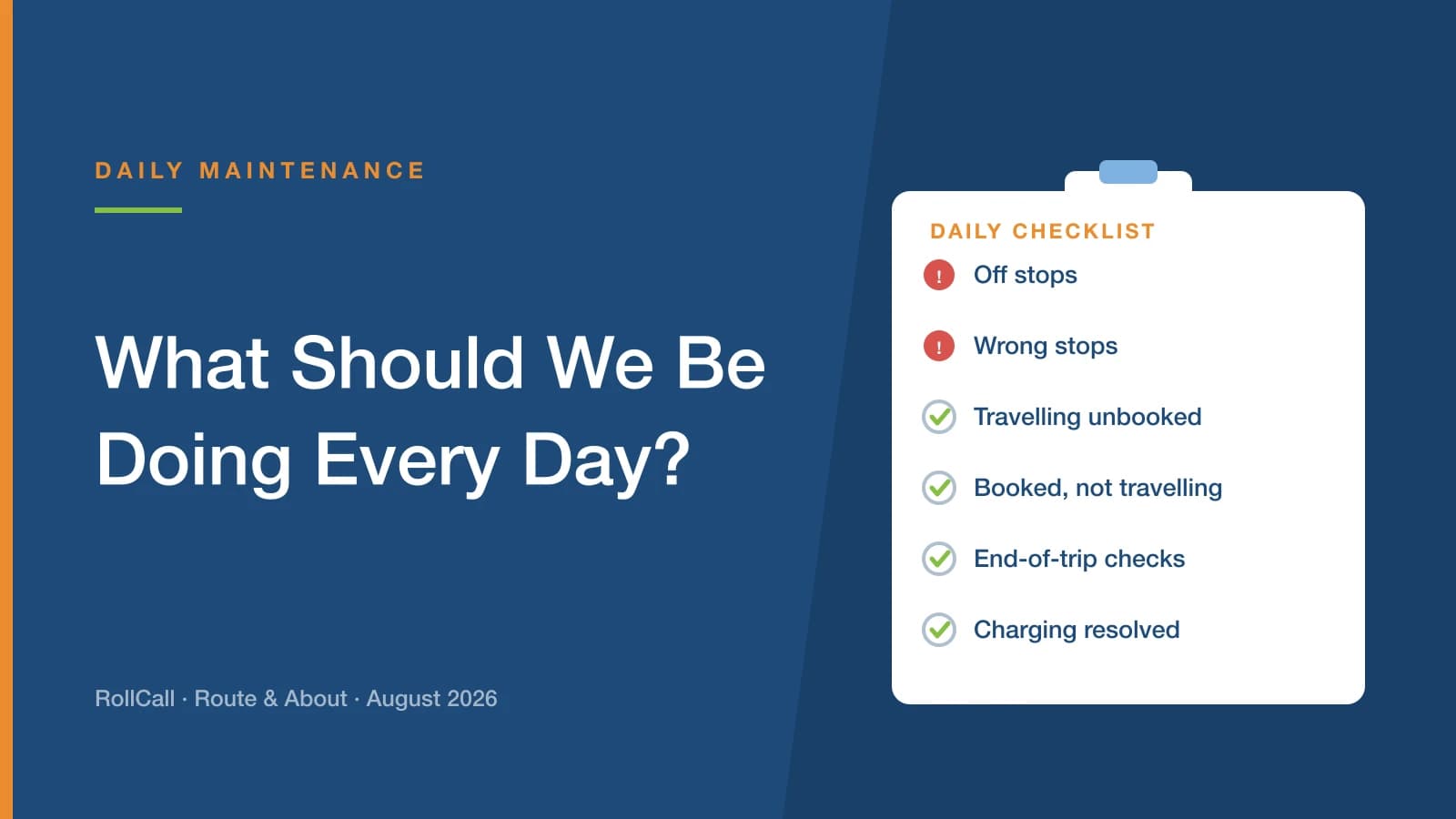
The routine is smaller than most people fear. Three questions, on every service - AM and PM, every route.
Did the driver do the bus check? Bus Guardian, on the Operational Dashboard.
Was every stop serviced? Stops, on the Transport Screen.
Is there anything that needs resolving? Exception flags, on the Transport Screen.
Fifteen to thirty minutes, once a day. The video shows you where each one lives, and the one-page quick reference at the end of this article walks you through them in order.
What follows is the part neither of those can give you: what the answers actually mean, and how to tell the difference between something worth acting on and something that just happened.
You are confirming that your service is doing what you think it is doing.
Check one - did the driver do the bus check?
This is the one to look at first, every day, without exception.
Bus Guardian requires the driver to walk to the rear of the vehicle and tap a checkpoint before completing the run. It is the control that ensures no child is ever left on a bus. On the Operational Dashboard, the colour of the bus icon tells you what happened.
Green - the driver completed the end-of-run check.
Orange - the route is still in progress. It was not completed correctly.
Red - the driver pressed Skip and entered a reason. The check was deliberately not done, and there is a written record of why.
Grey - the service did not operate that day, or the driver did not log in or use the device.
Anything but green, follow it up with the driver or the bus company.
That rule is deliberately blunt, because the alternative is a judgement call made in a hurry, and judgement calls made in a hurry are how a colour that should have been chased becomes a colour that gets scrolled past.
The useful thing is that when you do follow up, the answer is nearly always one of two things - and both are fixable.
A faulty device. Investigate and resolve it, or contact RollCall support. A driver working around broken equipment will keep working around it until someone replaces it.
They did not know how. A training gap, to be addressed with the driver or the bus company. Far more common than anyone expects, particularly with relief drivers who were never shown.
Neither of those is a discipline problem. Both are quietly dangerous if nobody notices them, and both disappear the moment someone asks the question.
Check two - was every stop serviced?
On the Transport Screen, each stop carries an icon. Solid means the stop was serviced. Outline means it was not.
An unserviced stop is not automatically a problem. There are two ordinary explanations: the run is still in progress, or the stop needs calibrating.
The second is worth understanding, because it is the one that quietly distorts your data. If a stop is not calibrated correctly, the bus can pull up exactly where it should and RollCall will not recognise it as having serviced that stop. Everything looked right on the road. The record disagrees.
Left alone, that stop reports as unserviced day after day, and the people reading the screen learn to ignore it. Which is precisely the habit you do not want, because the day it means something real, it will look identical to every other day.
Calibrate it, and the noise goes away.
Check three - anything that needs resolving?
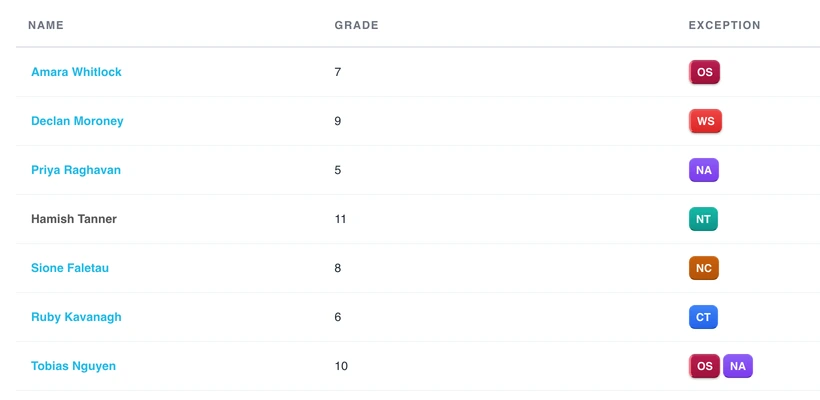
The exception flags are the third check, and there are six of them. The quick reference lists each one with exactly what to do, so rather than repeat that here, it is worth understanding what they are collectively telling you.
Three of them are about safety and how the run was driven.
Off stop means a student was scanned on or off outside an approved stop on the route. In practice the bus pulled up somewhere it shouldn't have - the driver stopping short, a student flagging the bus down, a parent asking. Find out which. An approved stop has been assessed for sightlines, crossings and where children wait. A spot fifty metres up the road has had none of that.
Wrong stop means a student used a different stop on the route to the one they were booked to. Check the booking, then contact the family.
No card means there was no scan media, or the wrong student code. Issue or re-register the card and correct the record - otherwise that student is travelling without a reliable trace.
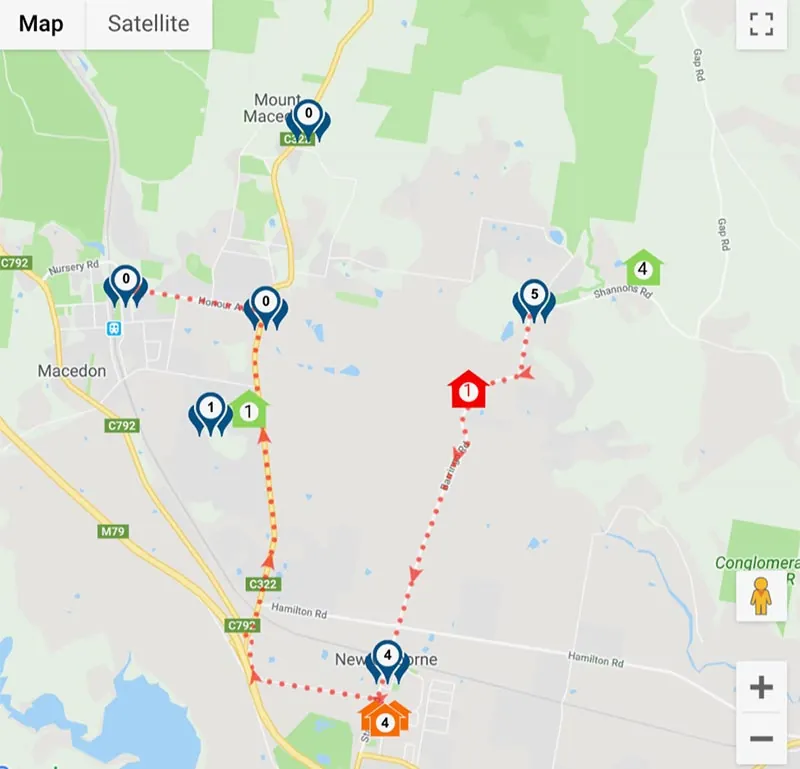
Off stop is also the one flag where it is worth looking at the map rather than the list. Press the action pin and you can compare where the student was scanned on (green) and scanned off (red) against where the stop actually is (blue). A few metres out is a calibration question. A few hundred metres out is a conversation with the driver.
The other three are about whether your bookings still match reality.
Not travelled - booked, but never scanned on. Check the absence against your school management system, or confirm with the family.
Not allocated - travelled on the route without a booking. Find out why.
Casual traveller - the booking option is still set to Casual. If they travel regularly, convert it to a bus traveller booking.
That last one is easy to overlook and worth a moment. A casual booking is meant to be occasional. When a casual is on the bus every day, the flag is not really an error - it is RollCall pointing out that the arrangement changed and the booking never caught up.
The question underneath all of them
Whatever the flag, you are only ever asking one thing.
Is this a one-off, or is this a pattern?
A one-off needs noting and nothing more. Life happens - a friend's place after school, a forgotten card, a wet afternoon.
A pattern means reality has changed and RollCall has not been told. A student getting off at the same wrong stop three days a week has not made a mistake. A family turning up unbooked every Tuesday is not being difficult - they may simply need help setting up an ongoing booking. The same off stop three mornings running means something on that route has changed.
You do not have to hold it in your head
This is where a lot of people assume the daily check falls down. If you only ever look at today, how are you supposed to know whether today is unusual?
You are not. Stop Guardian answers that for you.
It lets you look at the same stop across the last 15, 30 or 60 days, so a flag you noticed this morning can be checked against what has been happening for weeks. Something that felt like a one-off turns out to have happened eleven times. Something that felt alarming turns out to be the first occurrence in two months.
That is the difference between a daily check that generates anxiety and one that generates decisions. You are not trying to remember what happened in July. You are asking the system, and it tells you.
So the discipline is not chasing every anomaly. It is noticing what repeats - and then fixing the thing underneath so the record tells the truth again.
Why this matters more this year
There is a new reason to care, and it is worth being blunt about.
As covered in our rollover article, the 2027 rollover now builds next year's bookings from each student's actual travel this year. It reads your data and acts on it.
Which means the quality of your daily checks in Term 3 and Term 4 directly determines the quality of your rollover in Term 1.
If students have been travelling unbooked all year, they look like non-travellers to the rollover and may not carry forward. If students hold bookings they never use, they roll over into seats they will not sit in. If a stop has been quietly miscalibrated since March, the travel it recorded is not the travel that happened.
Fifteen minutes a morning between now and November is the single best preparation you can do for next year's rollover.
Good data in November is a calm February.
Three things to take away
Watch the video
Five minutes, and it shows you exactly where each of the three checks lives on screen.
Print the quick reference
It has the bus icon colours, the stop icons and all six flags with what to do about each. Stick it beside the monitor.
The exception flags as they appear on the Transport Screen. Sample data.
Pick your time and protect it
Somewhere between 9:30 and 10:00am works well - your AM run has finished and synced, and you are past the morning rush. Do that morning's AM services and the previous afternoon's PM services together, so nothing sits unexamined for more than about eighteen hours.
Do that, and your system stays in premium condition - clean data, and a record that is a true reflection of how well your service is actually operating.
Need a hand?
If you would like a walkthrough of the daily check on your own service - what is normal for a school your size, and what is worth acting on - our support team is happy to sit down with you. Email support@rollcall.com.au.