
Unified bus changes table, new Reports screen and Parent App updates
Bus changes and absences now share one filterable table, the Reports screen is redesigned with recommendations and search, and parents get notified of school-created bus updates.
Download the PDF editionPlease find below our release notes for new features and enhancements to the RollCall system.
New features and enhancements
Unified bus changes and absences table
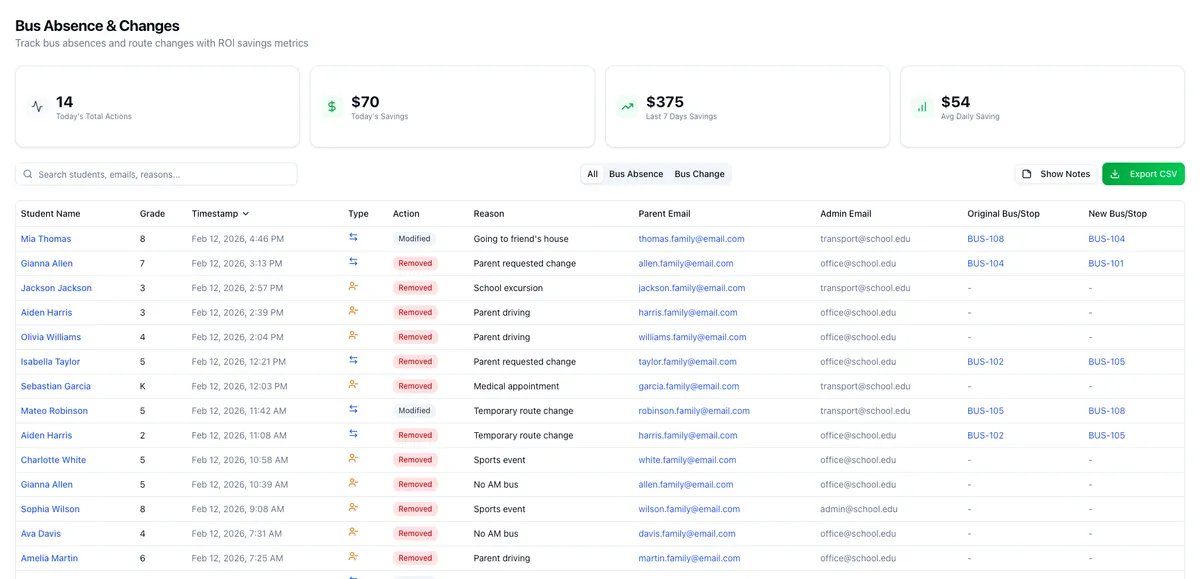
Transport updates are now easier to review and manage. We've combined Bus Changes and Bus Absences into a single, consolidated view – reducing the need to switch between screens and giving you complete visibility of all student transport activity in one place.
What's new:
- Single unified table showing all Bus Changes and Bus Absences together
- New filter bar with search, type filters (All / Bus Absence / Bus Change), and CSV export
- Sortable columns for quick data review
- Tooltips showing parent contact details and bus/stop information at a glance
- Clickable links on student names and bus details for faster navigation
Enhanced Reports screen
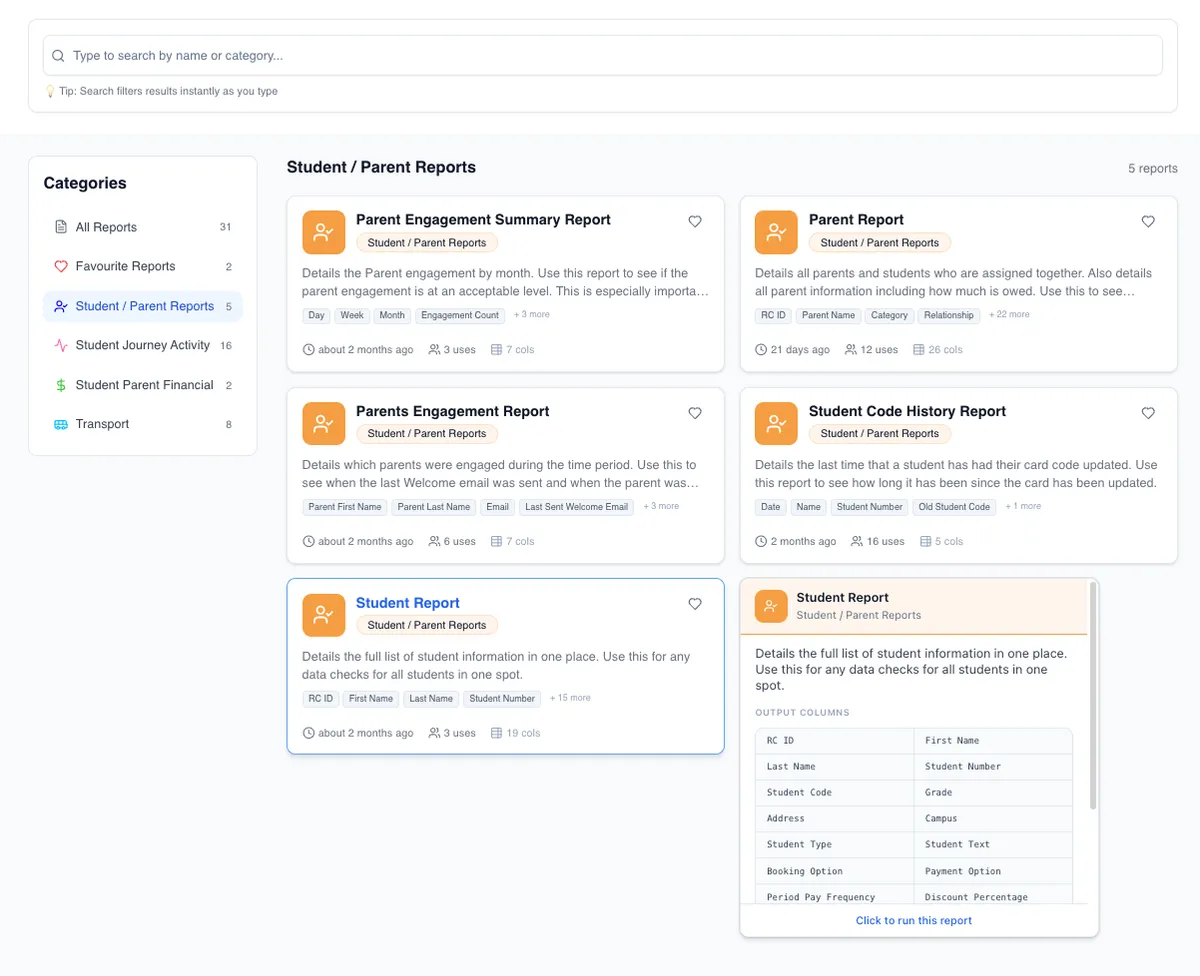
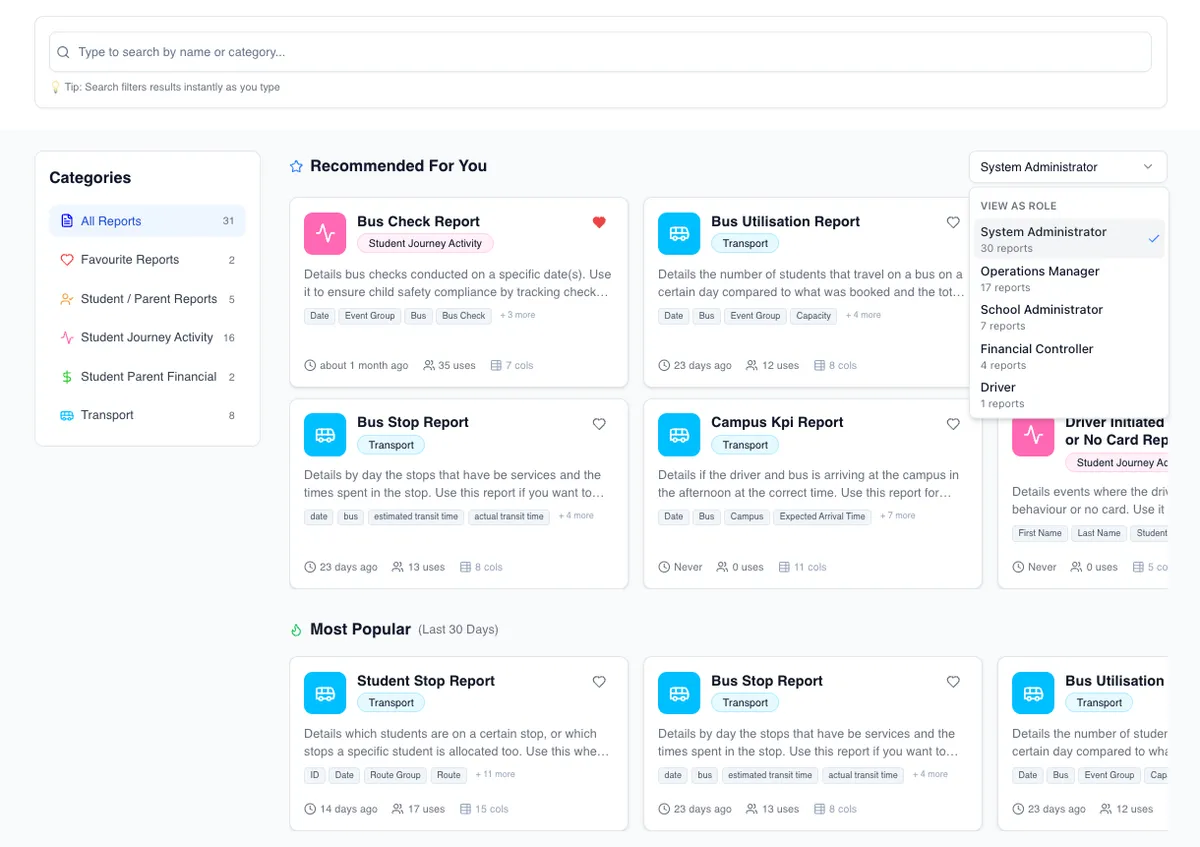
The Reports screen has been redesigned to help you find the right report faster, understand what it contains at a glance, and configure it with less guesswork.
What's new:
- Redesigned landing page with richer report cards showing descriptions, column previews, and usage info
- New "Recommended" section with role-based suggestions and "Most Popular" reports from the last 30 days
- Category sidebar with report counts and quick access to your favourites
- Live search across report names and descriptions
- New collapsible Overview panel in the report runner showing output columns, filters, and related reports
- Improved filter controls with date pickers, dropdowns, and toggles
- Navigate between related reports without leaving the module
Parent App: improved term selection
Terms now display in chronological order in the Parent App, and the current term is automatically selected when parents open their bookings. The app also remembers the selected term when switching between students or refreshing.
Parent notifications for school-created bus updates
Parents now receive email and push notifications when a school or bus company creates a bus absence or changes a student's bus booking – improving visibility and reducing unexpected transport changes.
Bug fixes and improvements
- Parent login: Resolved edge cases affecting multi-school parent logins, including scenarios where secondary parents couldn't access all associated schools
- Parent App – Bus Changes: Fixed an issue where the Bus Changes tab wasn't displaying available routes for some parents
- Parent Portal – Payments: Fixed duplicate transaction entries appearing for failed RollCall Pay payments
- Parent records: Resolved an issue where updating parent details could fail if country code data was missing
- Driver App – PM scanning: Fixed an issue where some students couldn't be scanned off at the end of PM routes
- Driver App – Route completion: Improved auto scan-off scheduling to prevent premature student scan-offs when routes are accidentally marked complete
- Driver App – Scan feedback: Improved error messaging when scans can't be processed
- Driver login: Improved driver login security to ensure unique phone number and PIN combinations across schools