New Operator Dashboard, scan performance and geofence fixes
A new Operator Dashboard, simpler student set-up, Campus in the stop bulk upload and SMS on a negative balance, plus fixes for scan performance, screen dropout, geofence sizing and Route Builder.
Please find below our Release Notes for new features and enhancements to the RollCall system.
We believe these upgrades will make for a smoother and more secure experience for every user. We appreciate your ongoing support and collaboration.
What's improved?
New Operator Dashboard
RollCall has a new Operator Dashboard with several user interface updates to the original format.
Key changes included:
- More modern look and feel.
- See more information on the single Dashboard Screen.
- Improved steps when adding a student: The student edit screen remains on the student screen so the School Admin can add additional attributes such as mapping a parent or adding the student to the bus.
- Stop Bulk Upload CSV now includes Campus: The CSV to bulk upload the stop details now has Campus included in the upload.
- SMS Messaging still works with negative balance: When the school's SMS balance drops below zero, the school will still be able to send out urgent SMS messaging.
For more information, click on our training link here.
What's fixed?
1. Scan performance improvements
Since January there have been regular enhancements to improving the student scan on/off performance.
2. Screen dropout
Although being committed, changes to the system were not being reflected immediately onscreen. Software upgrades have now rectified this issue.
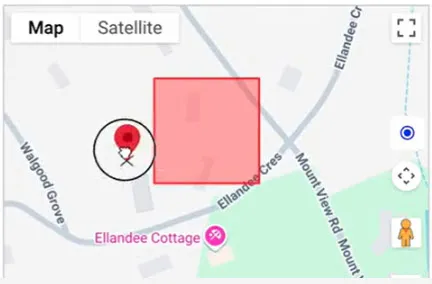
3. Stop graphical geofence sizing
When dragging a stop, the geofence size would appear on the screen reverting back to the original size (i.e. 75 metres). This has been fixed so that it will now remain at the existing size prior to the mouse drag.
4. Route Builder
Map now updates properly when adding or removing stops.
Tips and resources
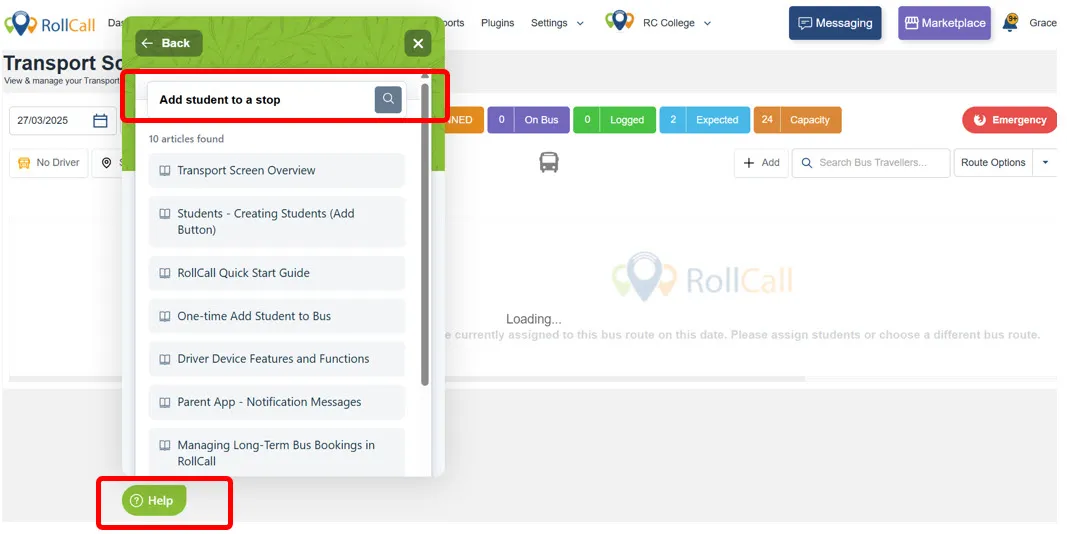
RollCall Help Button
Across all screens in RollCall, there is a floating Help Button that is constantly being updated by the RollCall team. These Help files contain various items such as:
- "How to" videos
- FAQs
- Training materials for School Admins, Drivers and Parents
Before contacting the RollCall support team, we suggest searching the Help files for your query.