
SIS / School Management Integration
RollCall + Compass
Keep RollCall in sync with your Compass student and family records.
Get a quoteWhat the Compass integration does
RollCall integrates with Compass to sync student and guardian data automatically. Your bus rolls, guardian contacts and reports reflect current Compass enrolment without any double entry.
Data flow
One-way syncCompass is the source of truth. Student and guardian data flows one-way from Compass into RollCall on an automated nightly sync, with a dry-run preview before changes are applied, so you never re-key enrolments.
| Data | Direction |
|---|---|
| Student recordsName, student ID, grade, enrolment date and active status | Compass → RollCall |
| Guardian contactsGuardian names, email and phone, with parent-type priority for who gets notified | Compass → RollCall |
| Enrolment changesNew enrolments, updates and departures reconciled on each nightly sync | Compass → RollCall |
What you need
- An active Compass subscription with administrator access
- API access enabled on your Compass instance
- A RollCall account with onboarding scheduled
Setup
Gather your Compass credentials
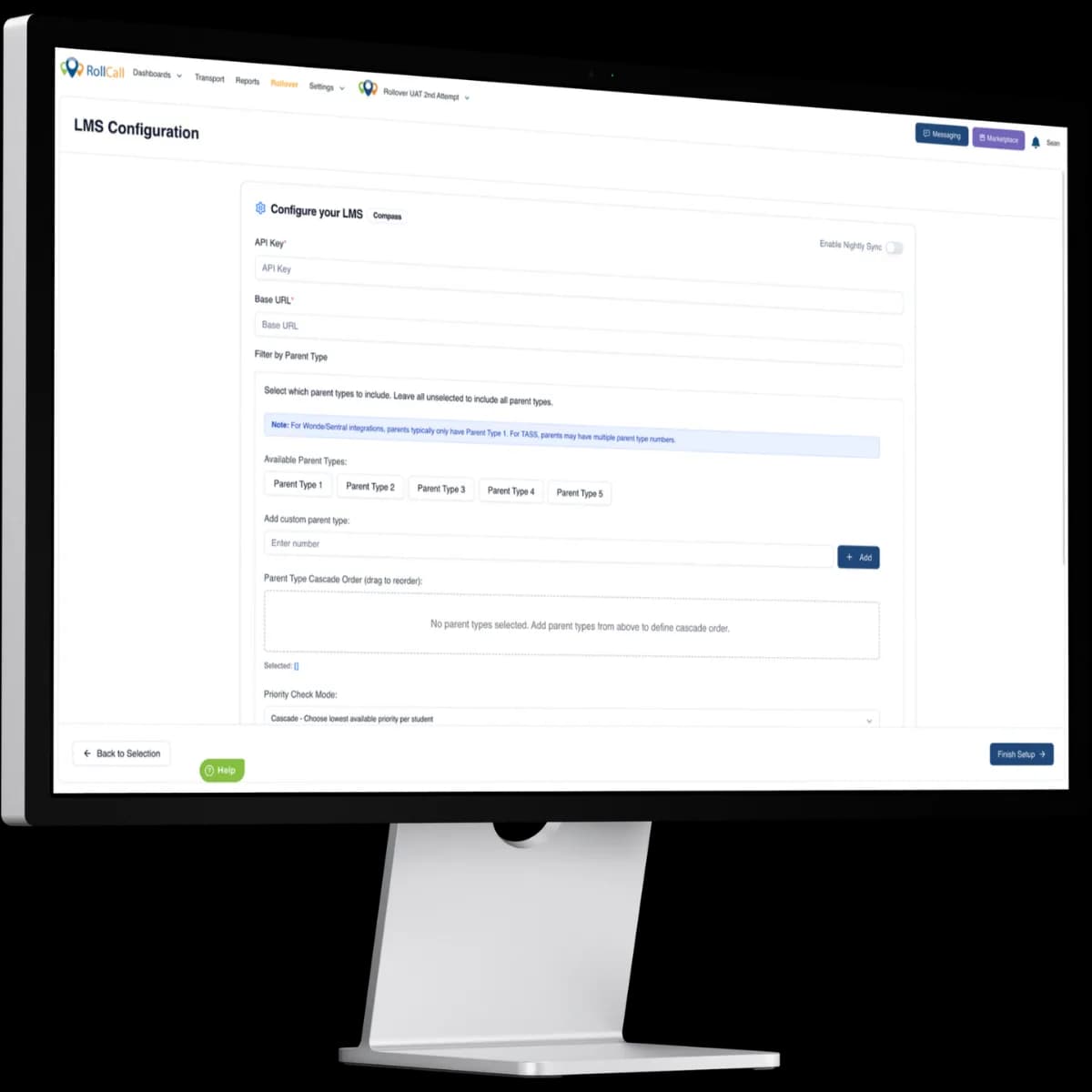
From your Compass administration console, obtain an API key and your base URL. Your Compass customer care team can assist if API access isn't already switched on.
Enter them in RollCall's student sync
Add the credentials in RollCall's student sync setup. They're stored securely and used only to read the student and guardian data needed to build your bus rolls.
Preview with a dry run
Run a dry run to preview exactly which students and guardians will be created, updated or made inactive before anything is imported.
Enable the nightly sync
Once the preview looks right, switch on the automated nightly sync (you can also trigger a manual sync any time) so RollCall always reflects your current roll.
Compass integration FAQs


See it in your school
Get a quote for your school with the Compass integration included.
No obligation, see how RollCall fits your existing stack.