
Who deserves a seat next term? Term Rollover answers it
Term Rollover keeps seats for regular travellers, Bulk Bus Absence cancels group bookings in a few clicks, plus five changes, Term 2 events and the Smart Route roadmap.

Stories, updates and good news from the team building safer school transport across Australia and beyond.

In this issue
- Who deserves a seat next term?: When your buses are at capacity, how do you decide who gets a seat?
- Bulk Bus Absence: Remove groups of students in just a few clicks.
- What’s new in June: Five changes worth knowing
- On the road this quarter: EA's in Education & EduTech
- The road ahead: What our developers are working on... the RollCall Roadmap.
Feature
Who deserves a seat next term? Now RollCall can answer that for you.
When your buses are at capacity, deciding who should retain their place can become a time-consuming exercise of exporting spreadsheets, analysing attendance, and making judgement calls.
We've taken the hard work out of it.
Our new Term Rollover feature automatically analyses student travel throughout the term and lets you set your own usage threshold. Whether you choose 80%, 90% or another benchmark, RollCall will identify your regular travellers, roll them into the next term, and leave the remaining seats available for new bookings or waitlisted students.
No spreadsheets. No manual calculations. Just a fair, consistent process based on actual usage.
Read the full article & watch the 'how to' video →
Feature enhancement
Bulk Bus Absence
One camp. One excursion. One sports carnival. Hundreds of bookings to remove? Not anymore.
Another school-requested feature has arrived!
Our new Bulk Bus Absence lets you remove bookings for groups of students in just a few clicks. Whether it's a year level heading to camp, a sporting team away for the week, or students attending a school activity, you can quickly cancel their transport across multiple routes.
Simply filter by Year Level, Student List, or Activity, and RollCall does the rest.
Spend less time updating manifests and more time supporting your school community.
What’s new in June
Five changes worth knowing
Take control of your settings New
Schools can now manage Parent App, Driver App and Admin Portal settings directly from within RollCall.
Encourage parents to register absences New
Apply optional 'not travelled' surcharges when students are booked but don't travel.
Live tracking you can rely on Better
For schools, that means route statuses you can count on through the busiest part of the day. For parents, fewer blank screens, less refreshing, and more confidence that what you see is real.
RollCall Pay just got smarter Better
Manage balance alerts and payment preferences from the new dedicated RollCall Pay Settings tab.
Need more SMS credits? Better
You can now purchase them instantly without leaving the Messaging Hub.
On the road · Q2 2026
On the road: connecting with the schools we serve
One of the best parts of what we do is getting out from behind our screens and spending time with the people who use RollCall every day.
This term has seen our team on the road across Sydney and Canberra visiting schools, meeting with customers, showcasing RollCall at EduTech, and proudly supporting the EAs in Education Gathering at Radford College.
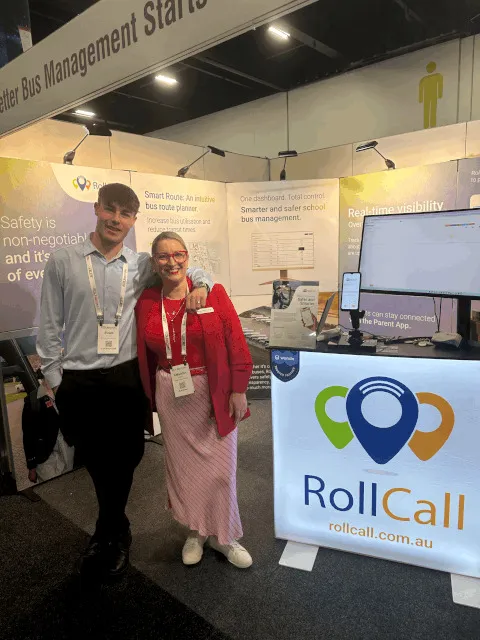
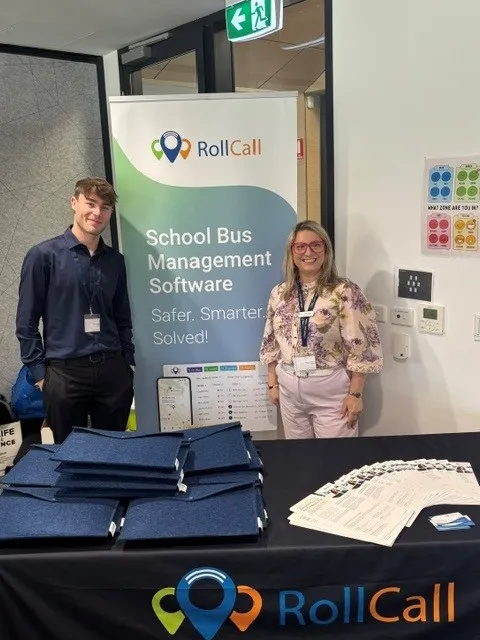
Whether it was a planned demo, a customer catch-up, or a quick conversation at an event, every interaction gave us a better understanding of the challenges schools face and how we can continue to make school transport simpler, safer and smarter.
We'd like to thank everyone who took the time to chat with us, share their ideas, ask questions or simply stop by to say hello. Those conversations shape the future of RollCall, and they're the reason we love getting out on the road.
Here are a few of our favourite moments from Term 2. We look forward to seeing many more of you in Term 3.
Quick tip
Customise your Transport screen
Want to simplify your Transport screen and only see the information that's relevant to you?
Click the Column Selector icon on the far right of your Transport screen, then simply tick or untick the columns you'd like to display. It's a quick way to personalise your view, reduce clutter, and keep the information you use most front and centre.
💡 Tip: Your column preferences are saved, so you only need to set them up once.
From the field
"A message to express my thanks for a package that is super easy to setup and use"
— Ross Donoghue, Operations Manager, Pacific Valley Christian College
The RollCall Roadmap
The Road Ahead
What our developers are working on …
Smarter Smart Route is coming.
One of the biggest pieces of feedback we've received over the years has been this: "We love designing routes in Smart Route, but then we have to recreate everything again in our live operational routes."
Well… not anymore.
The new Smarter Smart Route lets you build, refine and finalise your route plan, then schedule it to go live on a date that suits you. No more duplicating your work. No more manual changeover. Just one seamless transition from planning to operations.
It's another way we're streamlining everyday workflows and making RollCall even more intuitive to use.
Watch this space… we can't wait to show you the new Smart Route.