
Knowledge22 October 2026
Who Makes the Booking?
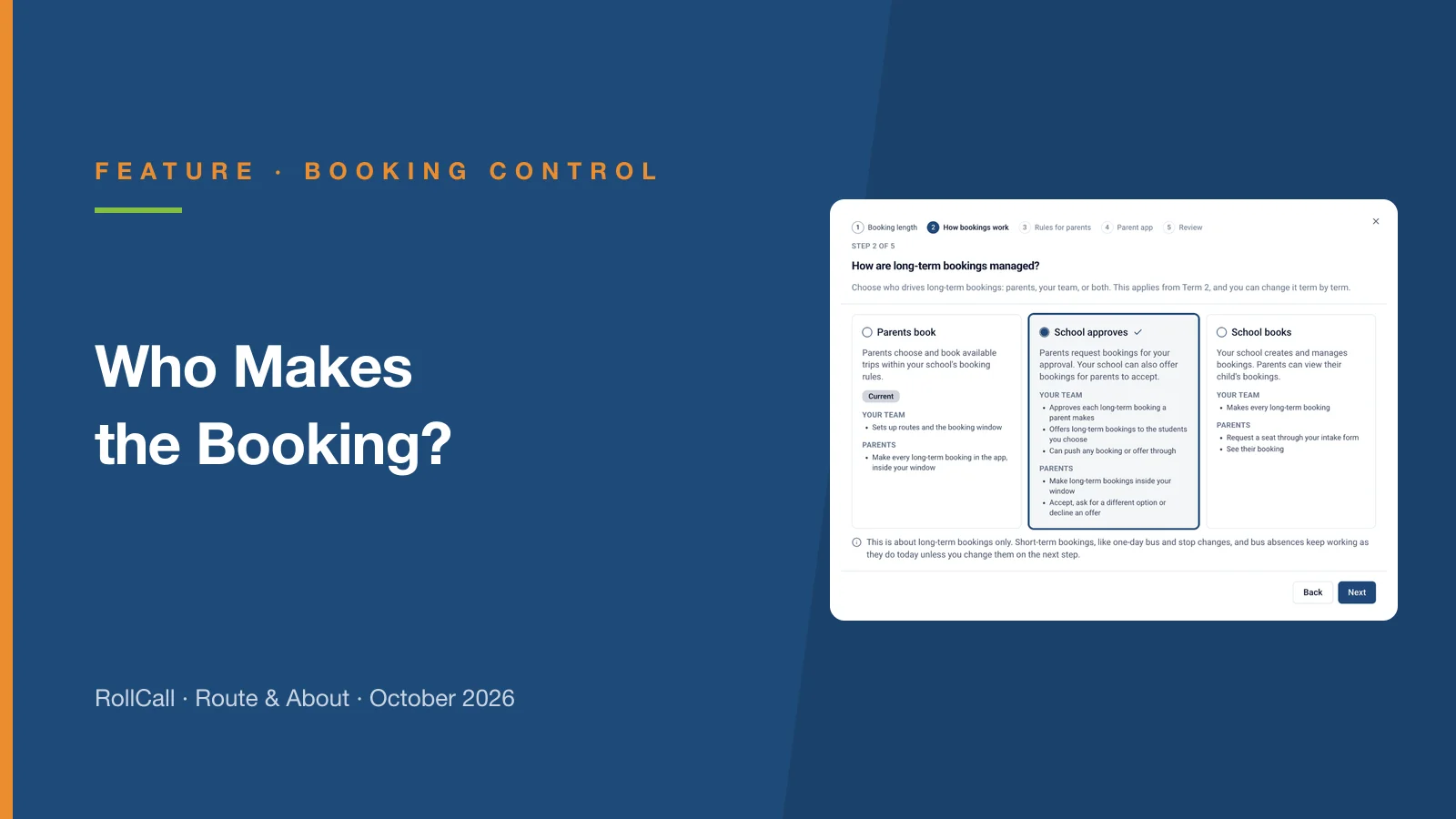
Parents book, School approves or School books. RollCall now follows the way your school runs long-term bus bookings, term by term - here is what each one means and how to choose.
If you missed the rollover webinars, or you're handing rollover to someone new this year, the full session is here.
Between 6 and 14 October we ran four rollover webinars, walking through a real rollover from start to finish. Thank you to everyone who joined, and for all the questions. They told us exactly where people get stuck.
Can't see the video? Watch it on Loom.
The reference period tells RollCall which 2026 travel to learn from when it builds next year's bookings. Term 3 is a full term of how students actually travelled, so there's no need to wait for the end of the year.
Choose Term 3, run your rollover now, and you'll have the rest of Term 4 to sort out anything it flags.
The rollover wizard and large imports aren't available from 7 to 9 am or 3 to 5 pm, Melbourne and Sydney time, so the buses on the road come first. Plan your rollover sessions outside those hours.
The question we heard most was: "What about students who didn't roll over?"
No rollover books every student. Some travelled too rarely to carry over, some are new, and some ride more than one route. They all end up on the Unbooked Students list, each with the reason they weren't booked. Filter by reason, work through one kind of problem at a time, and book the ones who still need a seat before you call it done.
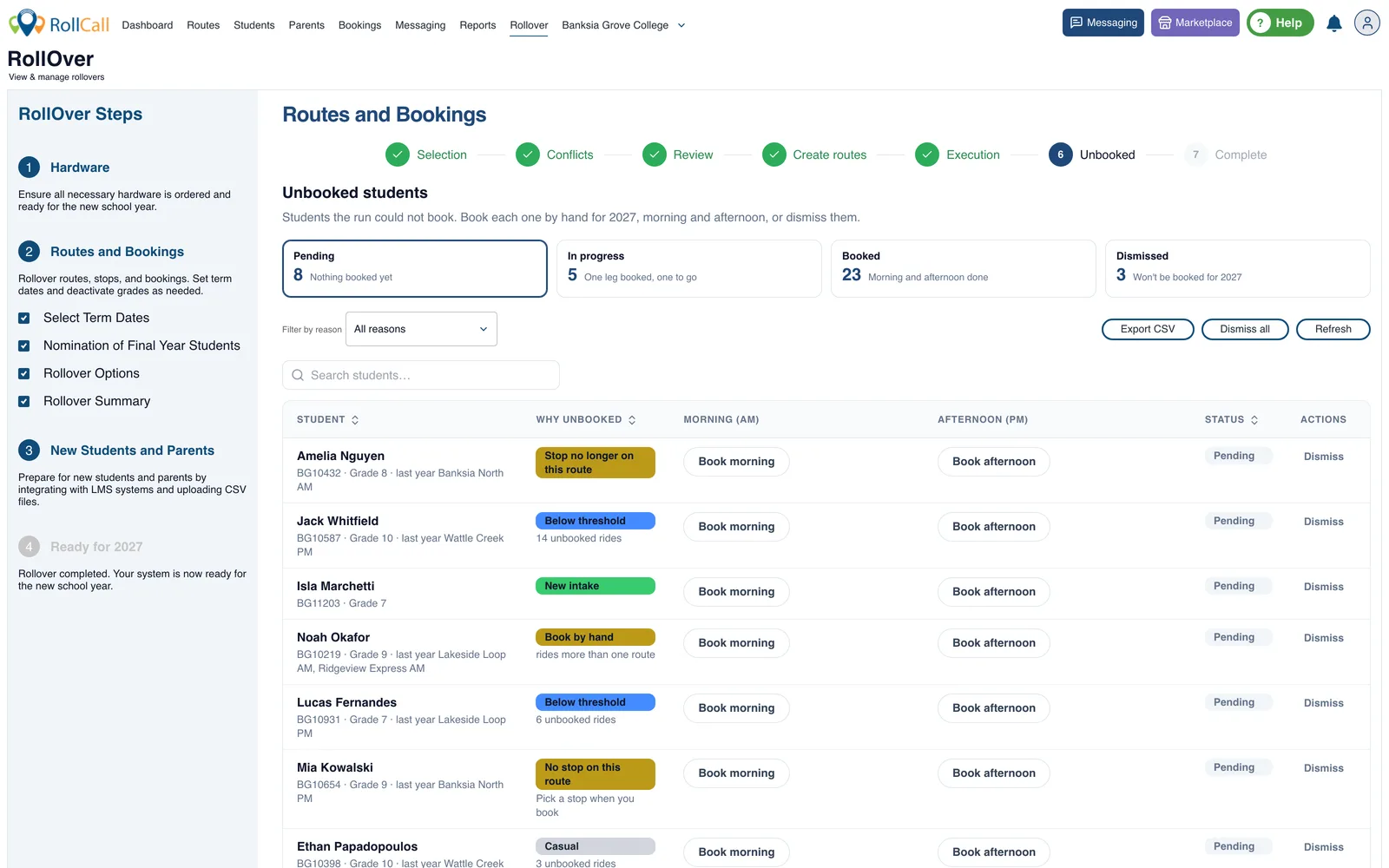
We covered how the list works in more detail in Less to Pack Into That Week in January.
Select Help on the Rollover dashboard. The guides for the stage you're up to come first, and you can ask Rolly, our AI-assisted helper, in your own words. Read more about Rolly.
If you're welcoming new students in 2027, or want your school's own design on the tags, now is the time to order. Custom tags are made overseas and take longer to arrive.
Order before the holidays and they'll be on school bags for the first day of Term 1, not the third week. Email support@rollcall.com.au to order.
Parents book, School approves or School books. RollCall now follows the way your school runs long-term bus bookings, term by term - here is what each one means and how to choose.
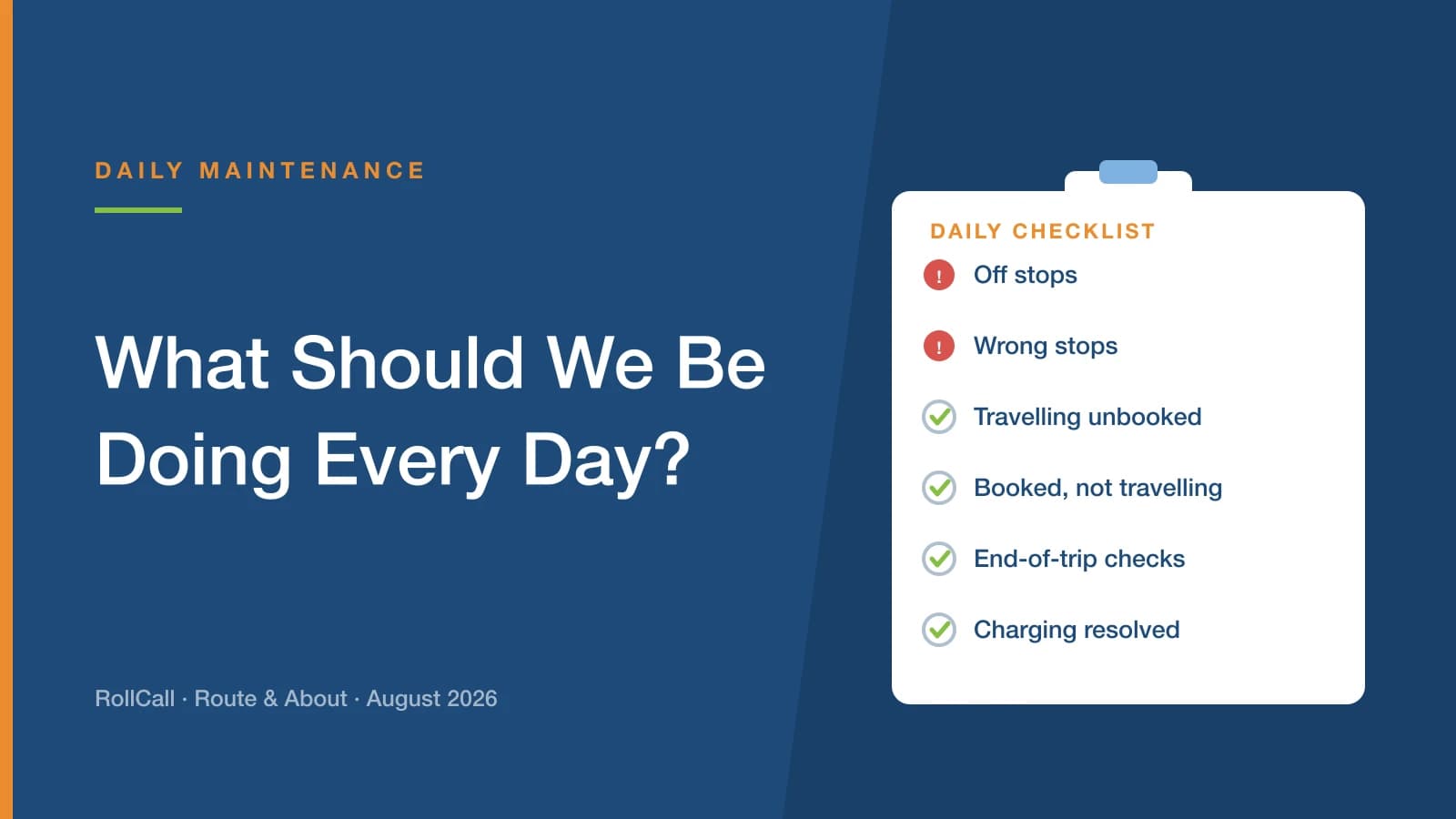
It comes up at almost every school visit. The answer is simpler than most people expect: three checks on every service, AM and PM, and fifteen to thirty minutes each morning to work through them.
Australia's first Children's Online Privacy Code must be registered by 10 December 2026. It is aimed at online services rather than schools - but it will reshape what your suppliers collect, what they switch on by default, and what they tell families.